
Voyabay for hosts
List your home on Voyabay for free
You set the prices and the rules. Guests book on voyabay.com and pay you directly through your own Stripe account.
- Free to list
- Entire homes, up to 2 per host
- Payments go to your Stripe
How it works
- Step 1
Create your host account
Use your Voyabay login, or sign up in a minute.
- Step 2
Describe your home
Photos, rooms, amenities, check-in times and house rules.
- Step 3
Set prices and sync your calendar
Nightly, weekend and seasonal prices. Import your Airbnb, VRBO or Booking.com calendar so dates stay in sync.
- Step 4
Connect your Stripe account
Guests pay you directly through your own Stripe account. Stays more than a week away are charged 7 days before check-in, so cancelling early costs you no card fees.
Your responsibilities as a host
Listing is free, so we hold hosts to a high standard. You'll read and agree to the full host agreement before you create your account.
Keep it appropriate
Clean names and descriptions. No profanity, hateful remarks or nudity, and no nude or clothing-optional homes.
Honor your prices
Guests pay what they were shown when they booked. No extra charges afterwards.
Keep fees fair
No exorbitant or absurd fees. Fees must be under 30% of the total price.
Handle your taxes
You are the seller. You add your lodging taxes to your listing and you file and pay them.
Check in every day
Confirm your prices and calendar on your dashboard at least once every 24 hours. If you don't, your homes are hidden until you confirm again.
Treat your guests well
Guests who book your home are your customers. To stay listed on Voyabay, give them a good stay. Bad reviews or complaints can get a listing removed.
Voyabay may hide or remove any listing at any time, at its sole discretion.
What you'll need
- At least 8 photos of the home
- A Stripe account to receive payments
- Your nightly price, cleaning fee and local tax rates
- Your calendar (iCal) link from Airbnb, VRBO or Booking.com, if you list there
You're the seller
Bookings are paid into your Stripe account, so you are the merchant for every stay. That means you handle refunds and chargebacks, and you're responsible for collecting and paying your local lodging taxes. You add those taxes to your listing and guests see them as line items at checkout.
Connecting Stripe
You create a key for Voyabay in your own Stripe dashboard and paste it into your host account. These are the exact screens you'll see.
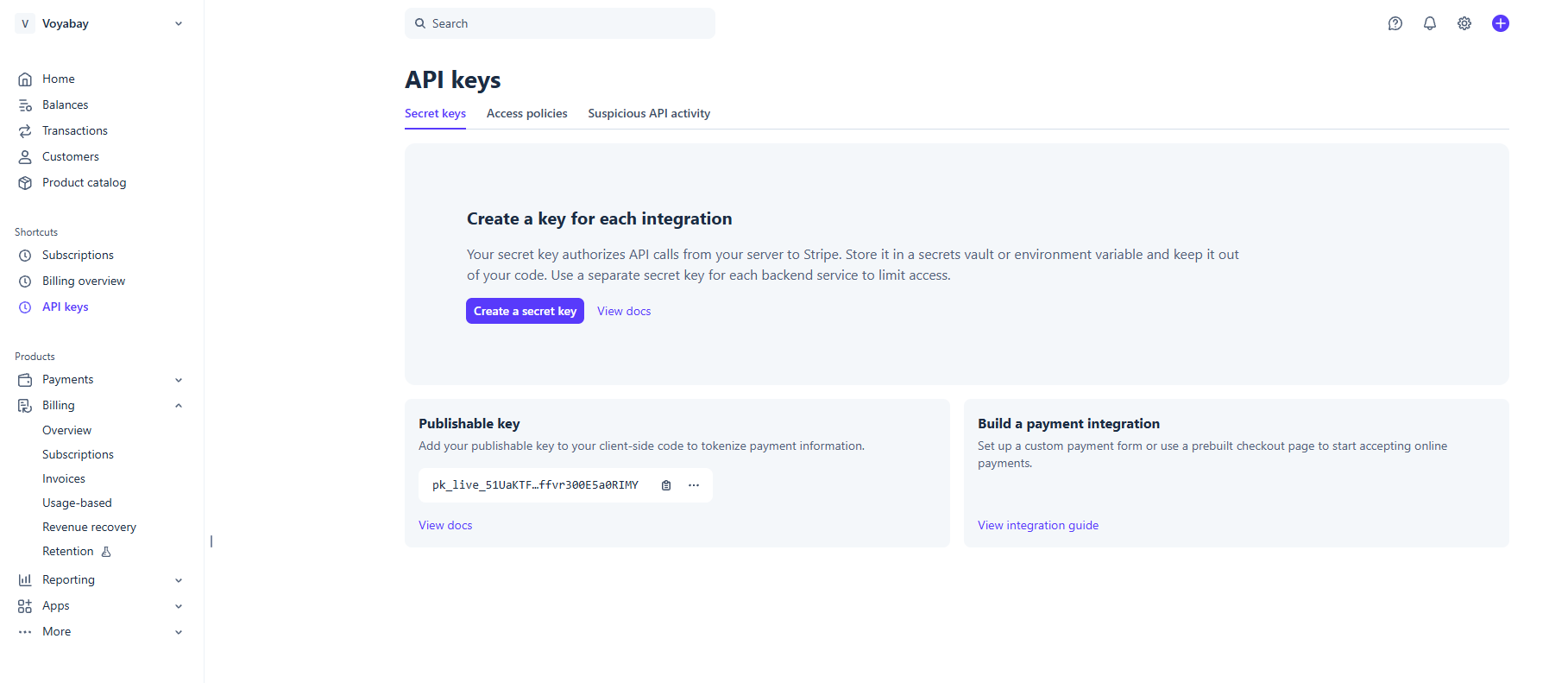 Step 1
Copy your publishable key
Open API keys in Stripe and copy the Publishable key. It starts with
pk_live_.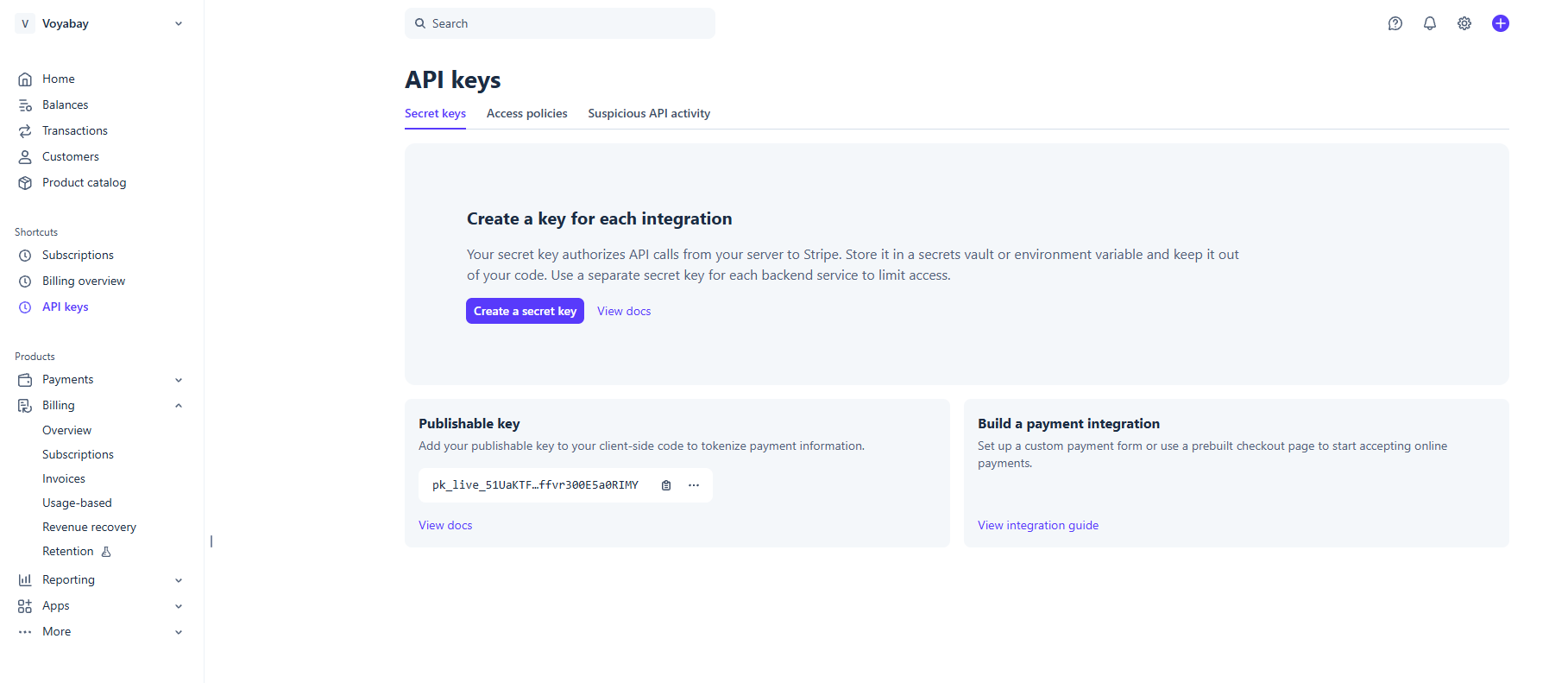 Step 2
Create a secret key
On the same page, click Create a secret key.
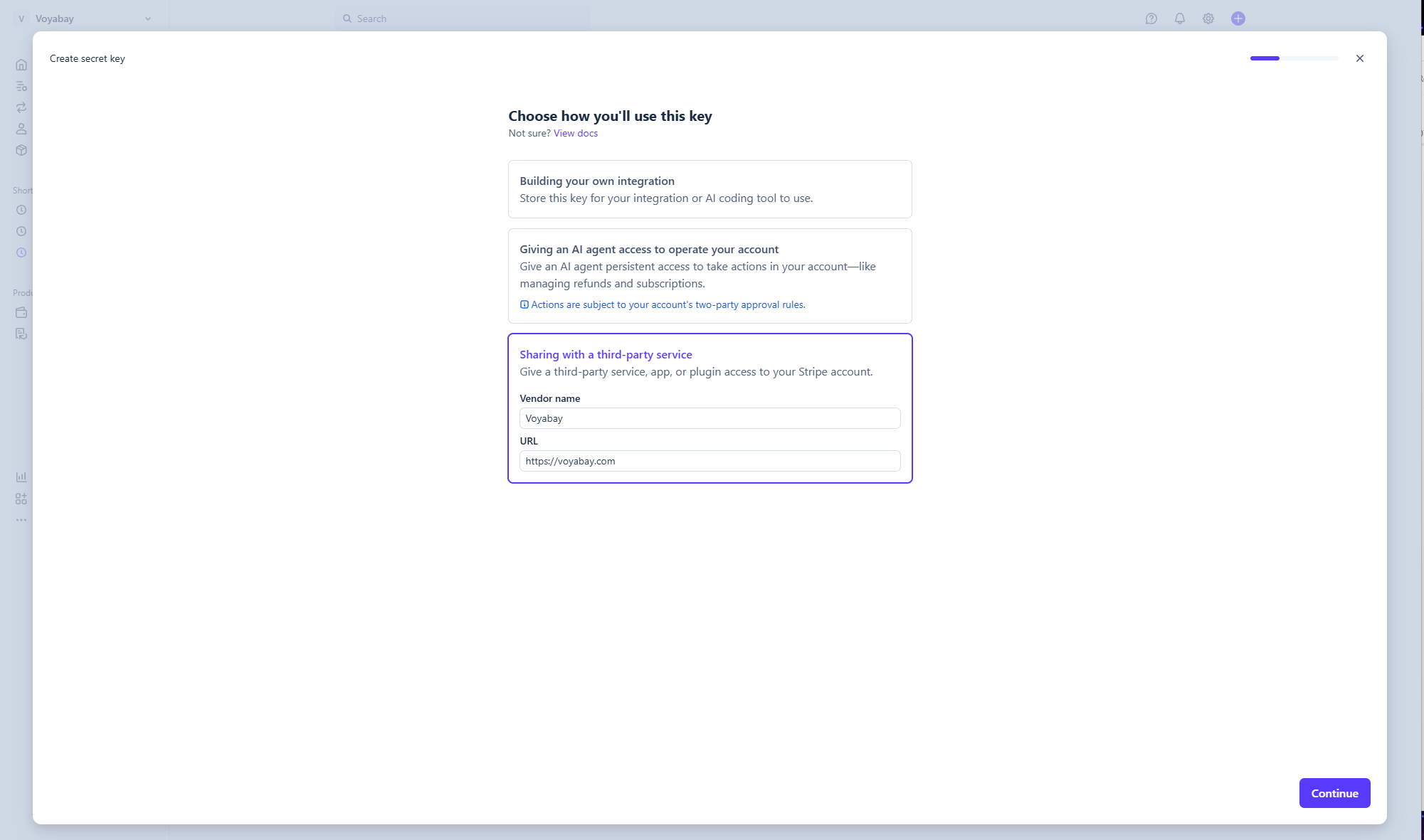 Step 3
Choose "Sharing with a third-party service"
Enter Voyabay as the vendor name and https://voyabay.com as the URL, then click Continue.
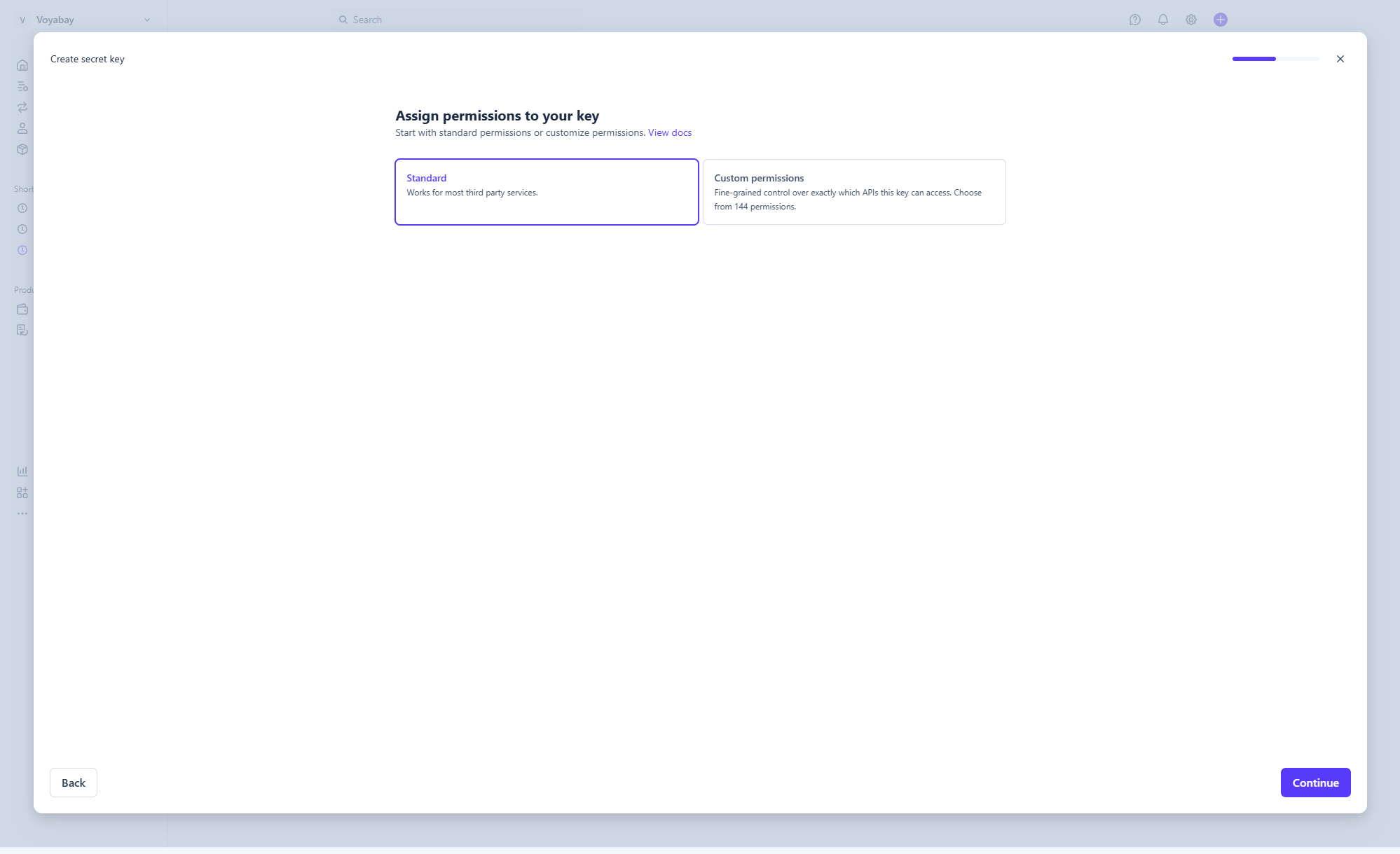 Step 4
Choose Standard permissions
Select Standard and click Continue.
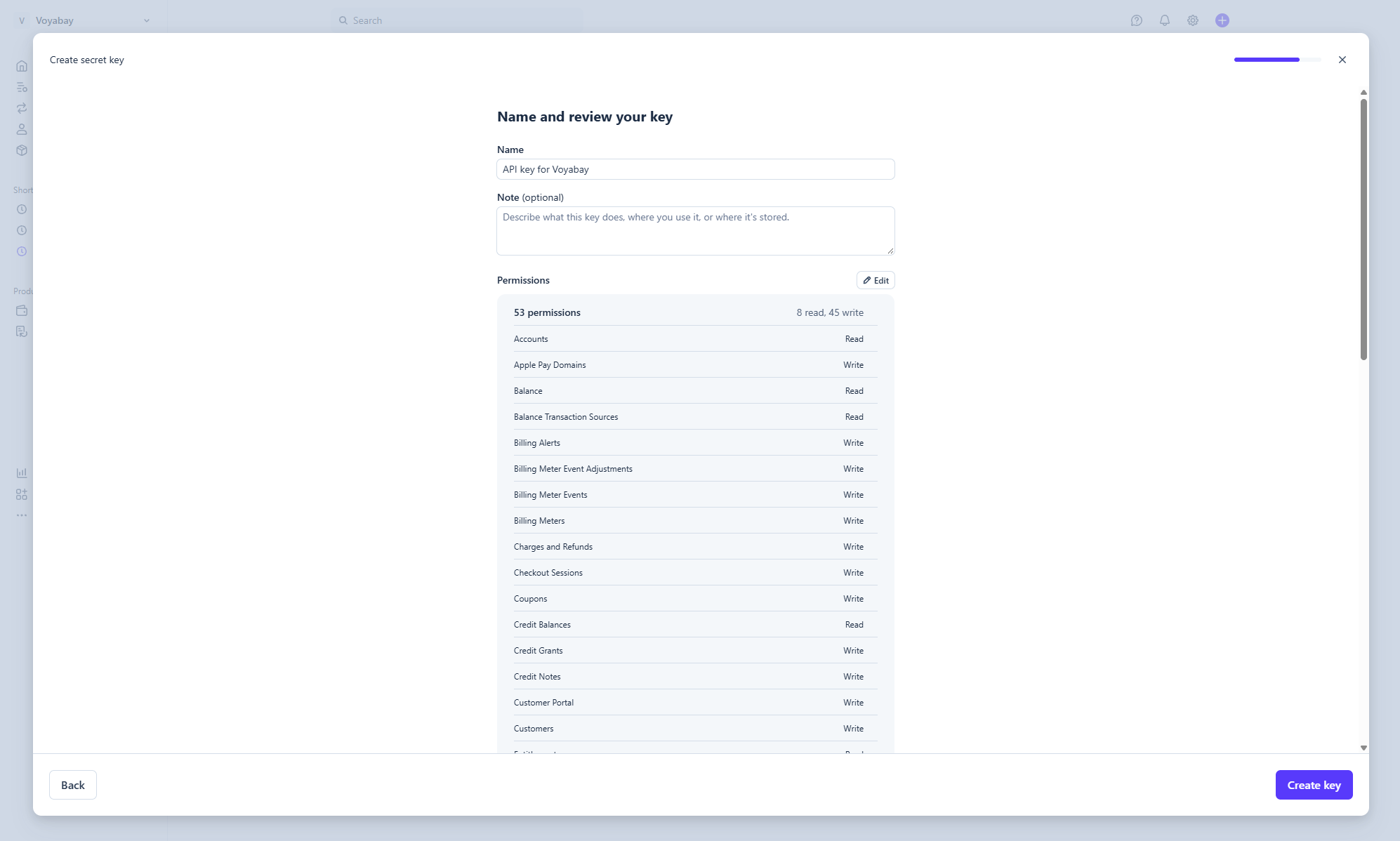 Step 5
Create the key
Keep the name API key for Voyabay and click Create key.
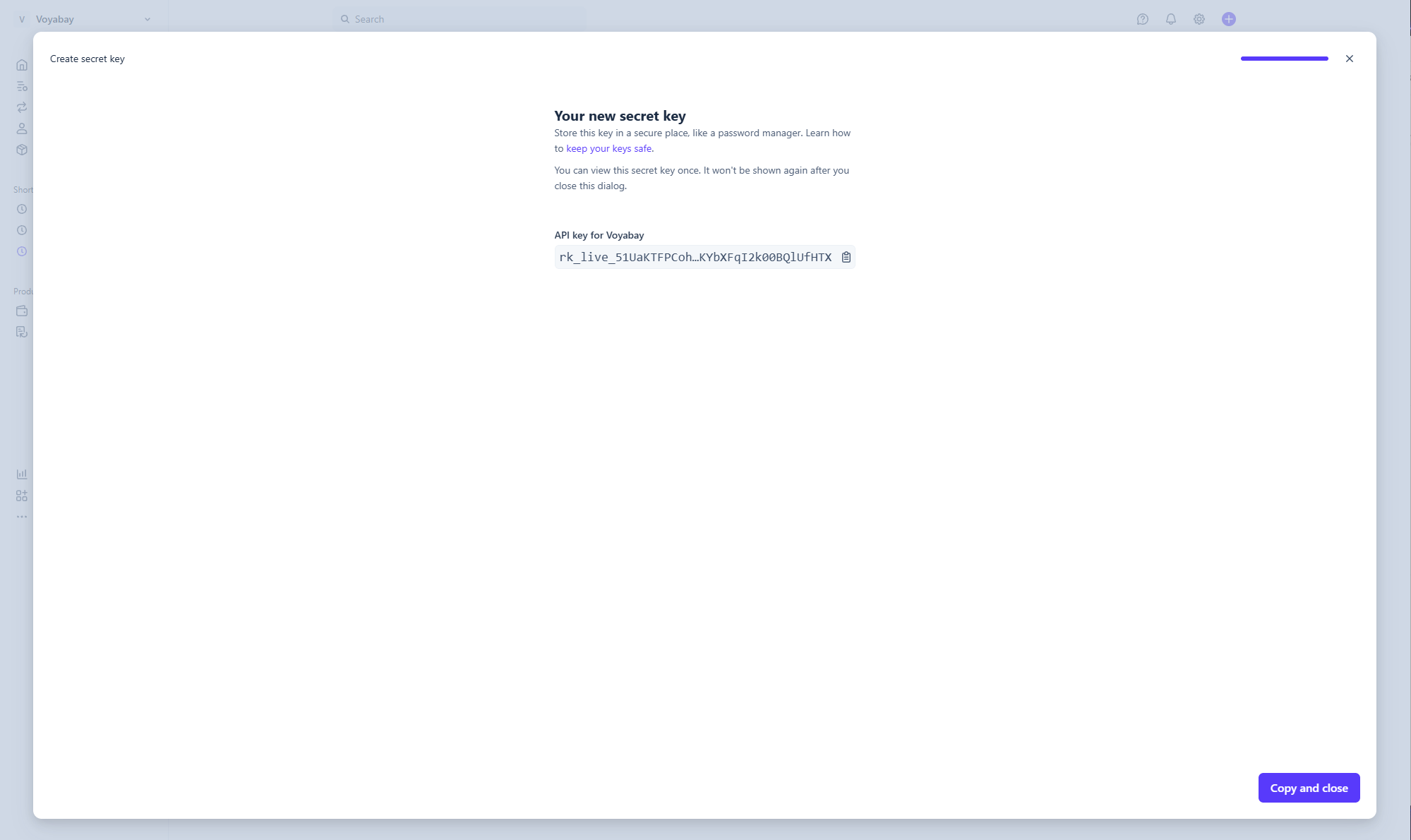 Step 6
Copy the key and paste it into Voyabay
Copy the new key (it starts with
rk_live_) and paste it, with your publishable key, into your host dashboard. Stripe only shows it once.